Public SMS Consent Record
How Aeliana gets permission before sending emergency texts
Aeliana does not send marketing texts from this flow. We send only test alerts and emergency alerts after the user adds a contact and confirms that contact agreed to receive those messages.
Consent steps
- The user opens the public Emergency Center at aeliana.ai/crisis-support.html.
- The user taps Add Emergency Contact.
- The user enters the contact name, phone number, and optional email address.
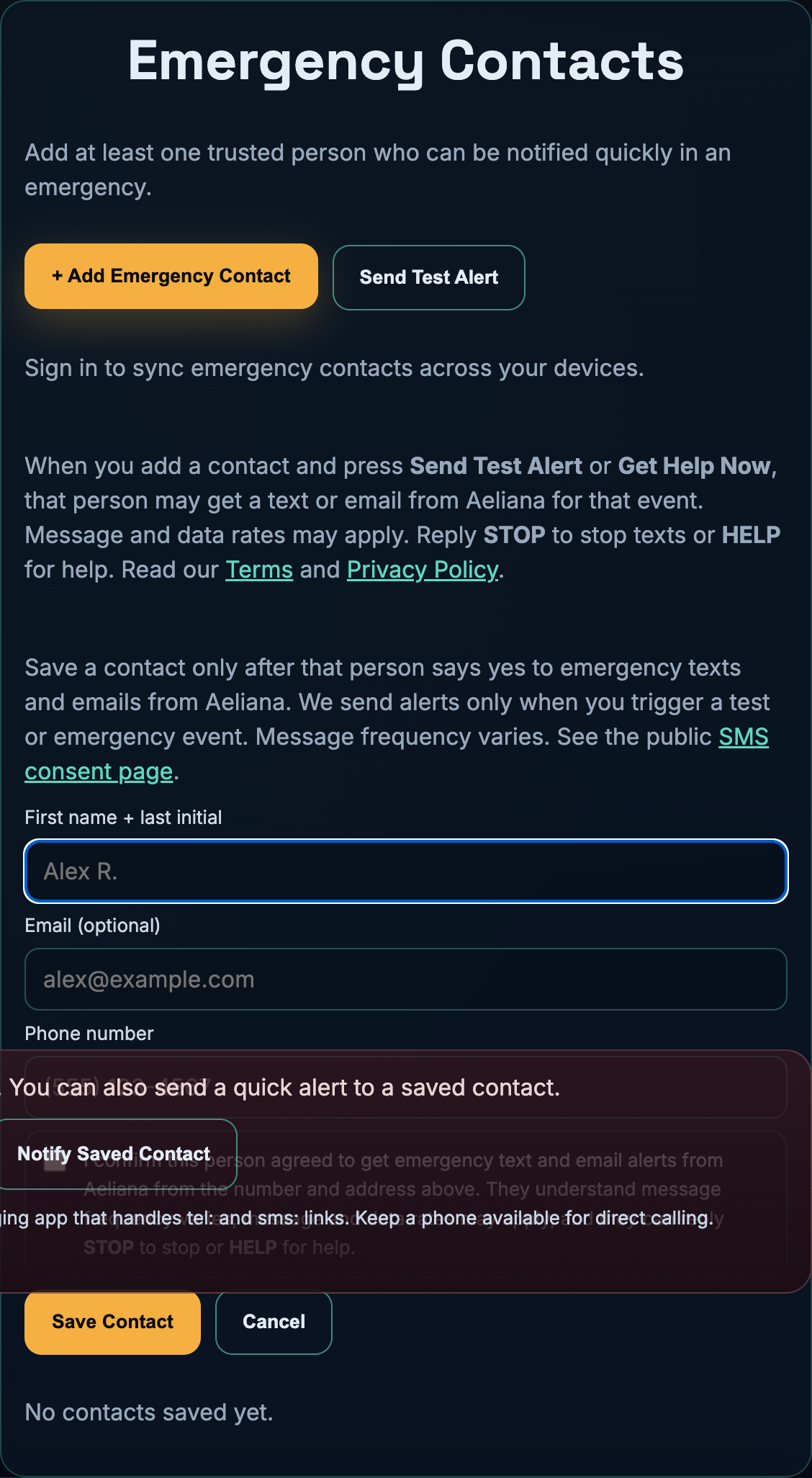
- The user must check the consent box that says the contact agreed to receive Aeliana emergency texts and emails.
- The user saves the contact. Aeliana stores the permission record with the contact on that device and in the signed-in profile when sync is on.
- Aeliana sends a message only when the user taps Send Test Alert or Notify Saved Contact.
What the contact sees before messages are sent
The contact form tells the user that Aeliana sends alerts only when the user triggers a test or emergency event. It also tells the user that message frequency varies, message and data rates may apply, and that the contact can reply STOP to stop or HELP for help.
Mobile phone numbers and SMS consent records are used only for this emergency and test-alert workflow. They are not sold or shared with third parties or affiliates for marketing or promotional purposes.
Program terms: aeliana.ai/emergency-sms-terms.html
Privacy: aeliana.ai/privacy.html
Message types
- Emergency alert: sent when the user triggers an emergency contact event.
- Test alert: sent when the user runs a delivery test.
- Optional location link: if the user shares location, the text can include a Google Maps link.
- No marketing: this flow does not send promotions, offers, or sales messages.
Sample messages
URGENT: I may be in immediate danger and need help now. Please call me immediately and contact emergency services if I do not respond.TEST NOTICE: You were added as an emergency contact in Aeliana Emergency Center. No immediate action is required.
Proof image
This screenshot shows the public contact form and consent wording used for this flow.